
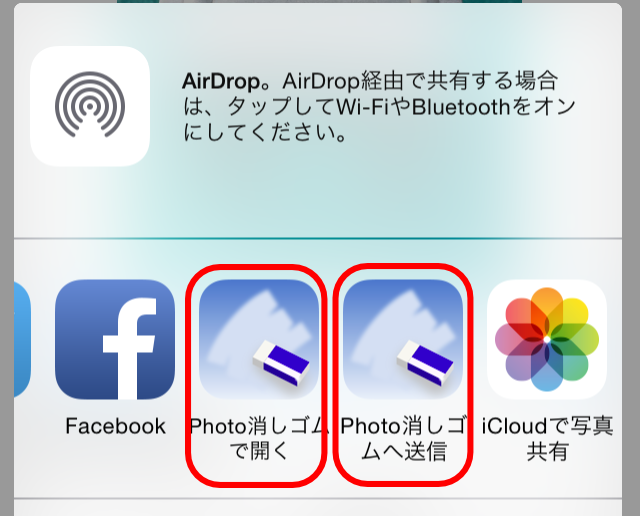
in the send menu of other apps that process photos and images.、If either the "Open in Photo Eraser" or "Send to Photo Eraser" button is displayed as shown below,、You can pass images directly to Photo Eraser。Depending on the app, both types of buttons may be displayed at the same time.。Here we will explain how to use them.。
-
Open Photo Eraser
This button is basically displayed in the send menu of apps that have the ability to pass images to other apps.。
By tapping this button、Photo eraser will be automatically started.、You can now edit the target image with the Photo eraser。 -
Send to a Photo Eraser
This button、Displayed in the send menu of apps that support the image sharing function on devices using iOS 8.0 or higher.。Just like the previous button, this button can also pass the target image to the Photo eraser.。however、For those using iOS8.3 or higher、Because Photo Eraser cannot be started automatically、When you tap this button, the following message will be displayed。
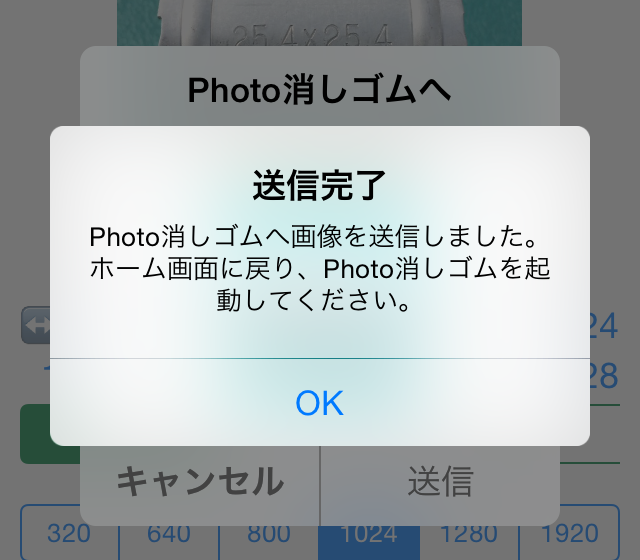
If you see this message、We apologize for the inconvenience, but please return to the home screen and start Photo Eraser manually.。Then、The image you sent will be automatically loaded.、You can now edit with Photo Eraser。If both the "Open in Photo Eraser" and "Send to Photo Eraser" buttons are displayed、It is better to use "Open with Photo Eraser"、(iOS8.3 or more)I think it's easy to use because you don't have to worry about starting it manually.。In the standard "Photo" app, only "Send to Photo Eraser" is displayed.、Please use this。
[Supplemental commentary]
Why can't Photo Eraser start automatically from iOS8.3?、For those who want to know the reason for the functionality down、It's a bit technical, but、The process is explained below.。Originally as Apple、The image sharing function is a function that sends data to other systems.、They seem to think that it is not recommended to use this feature to switch the app you are currently using to another app without permission.。When you tap the share function button on Twitter or Facebook、A post-only screen appears.、Once the post is complete、You can now return to your original app and continue working with it.。It will not switch to the Twitter app or Facebook app without permission.。This means that the share function is recommended to behave like this.。
However,、From iOS8.0 to 8.2, there is a method to launch the parent app from the Share Extension module.、Including Photo eraser、Apps that used it were able to pass Apple's review and be released.、With iOS8.3, OS restrictions have been strengthened.、That method is no longer available。For this reason、How to edit images sent to Photo Eraser on iOS8.3 or later、Users are now left with no choice but to launch Photo Eraser themselves。Apple has such a policy.、On the other hand, there are two buttons with different design principles: the share function button and the "Open with" app launch button.、Displayed with the same icon in the same menu、I think this results in unnecessary confusion for users.。I apologize for the specification being difficult to understand.、Thank you for your understanding.。