
This information、Past version(v1.10)It is for。For v2.00, “On the Send button to a Photo EraserI wrote a more detailed article on this, so please refer to it here.。
Below is、I will keep this as reference information for previous versions.。
In the send menu of some photo editing apps、Both "Share with Photo Eraser" and "Open with Photo Eraser" icons may be displayed in the destination application list as shown below.。
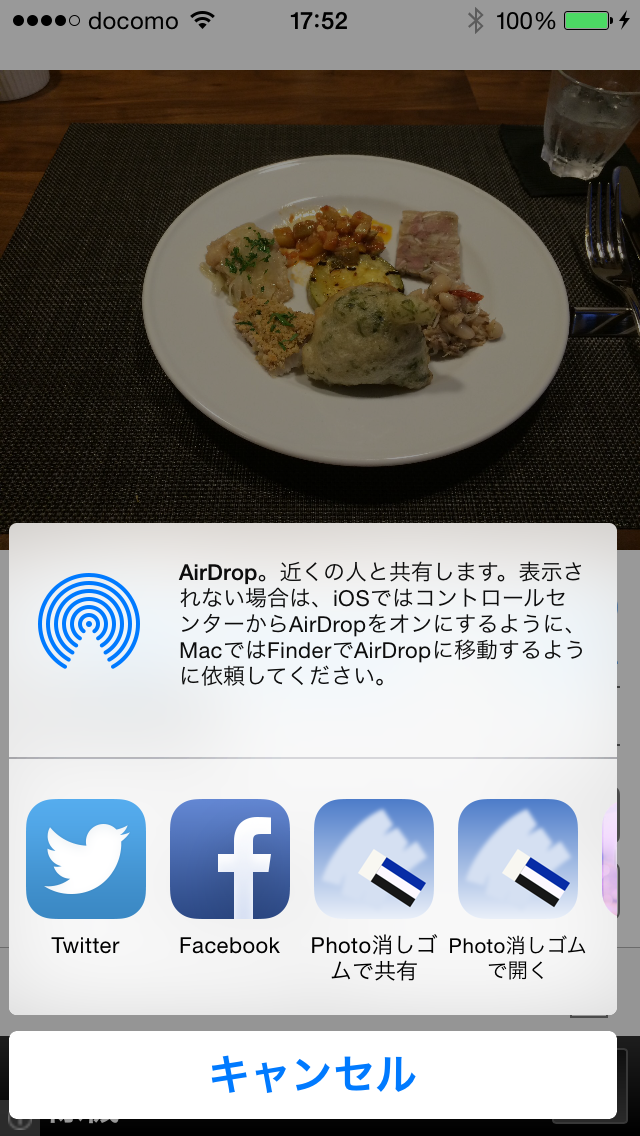
this is、As a way for Photo Eraser to receive images、This is because it supports both image opening and sharing methods.。Some apps can only be sent using one of the methods.。For example, the standard iOS photo app only supports the sharing method.、Old general apps created before iOS7 often only support the image opening method.。Apps created after iOS8、It is expected that the number of apps that can send using either method will increase.。2If the type icon is displayed、It's the same no matter which way you send it.。