Month: October 2014

  • Photo Eraser iOS 8 response new features overview

    To ASCII iPhonePLUS、We have posted an introduction to the new features of Photo Eraser compatible with iOS8.。Written by the developer himself、Photo editing extension(Photo Editing Extension)And market share expansion(Share Extension)About how to use、Detailed explanation with plenty of images。Please take a look。

    Photo Eraser responds to latest iOS8! Blur also resize Exif check all you can from the photos app

  • [Photo editing extension] I called up Photo Eraser from the photo app and deleted the shooting date and time and GPS information.、The photo app displays information about the original date and location of the photo.。Is this okay??It is really deleted??

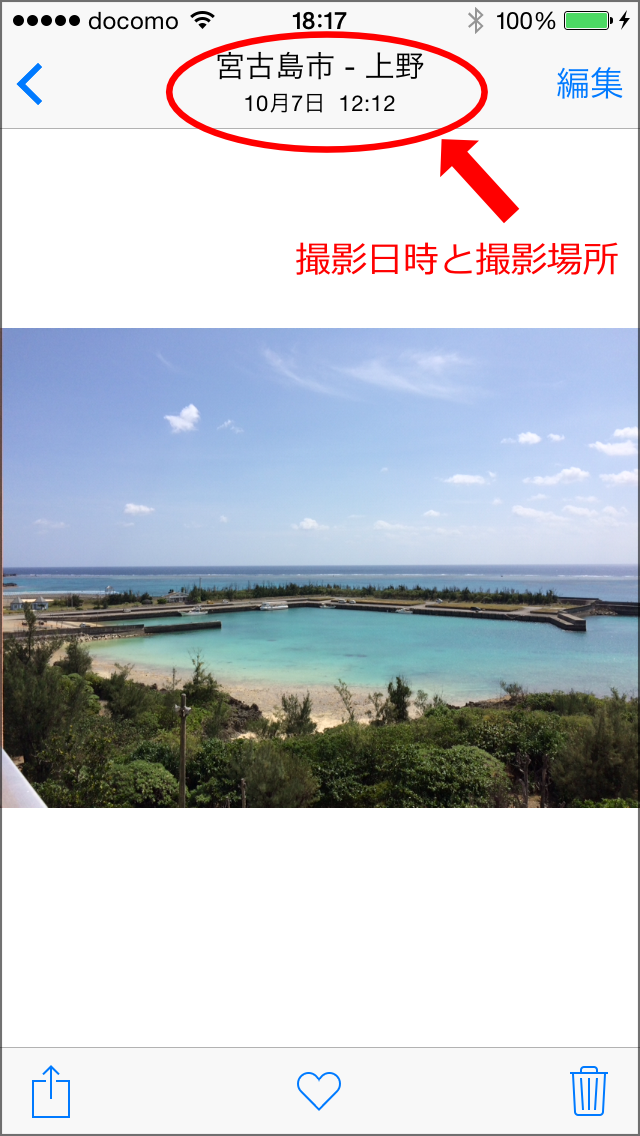
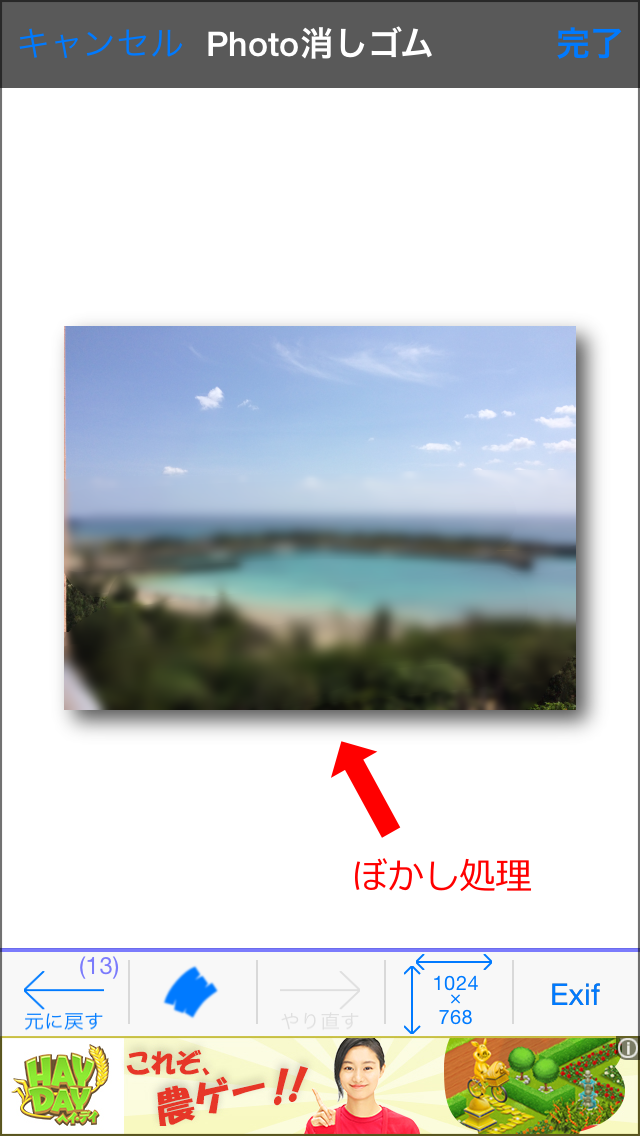
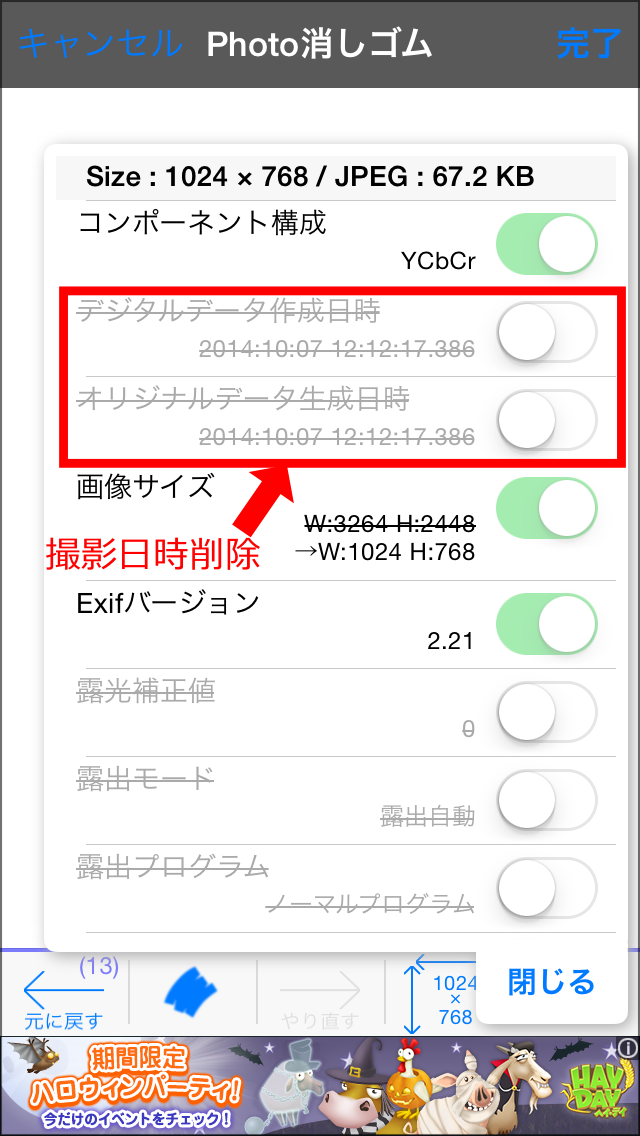
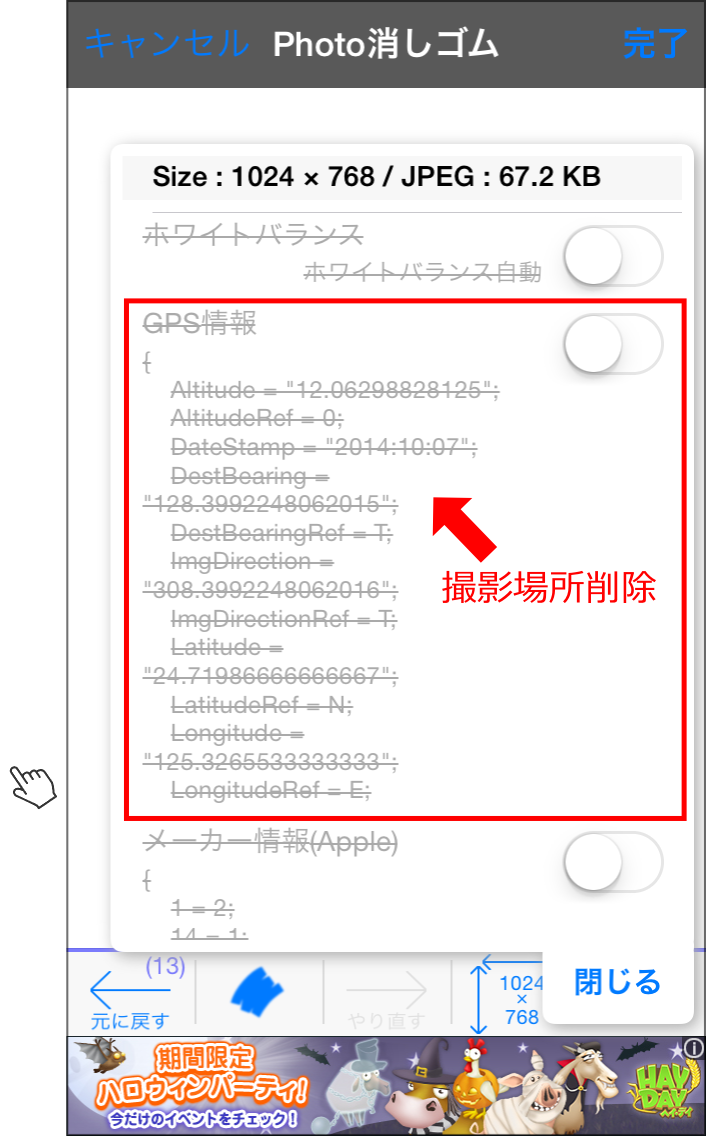
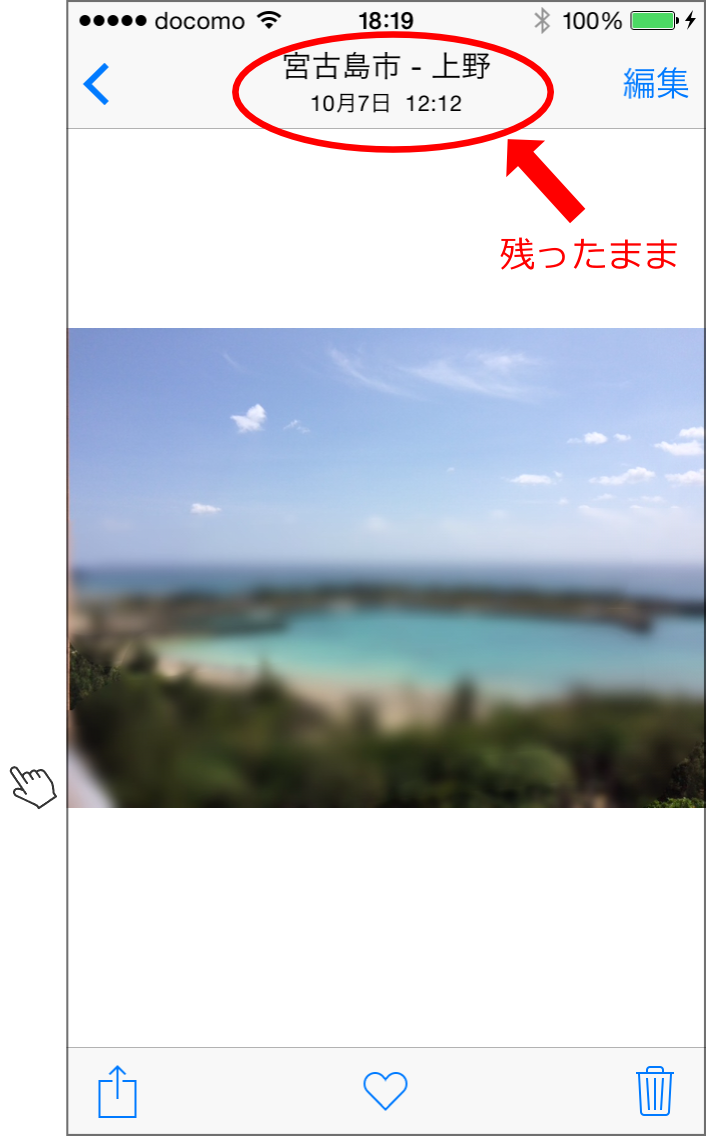
    as below、Call up Photo Eraser from the Photos app、Blur processing and Exif information(Shooting date and GPS information)Even if you delete、When I go back to the photo app, the date and time the photo was taken and the location of the photo are still there.、It looks like it's still there。

    (The original image)
    faq009-1

    (Edit Photo Eraser)
    faq009-2

    (Verify that the date and time delete)
    faq009-3

    (Verify that the location has been removed)
    faq009-4

    (After editing the photos app view)
    faq009-5

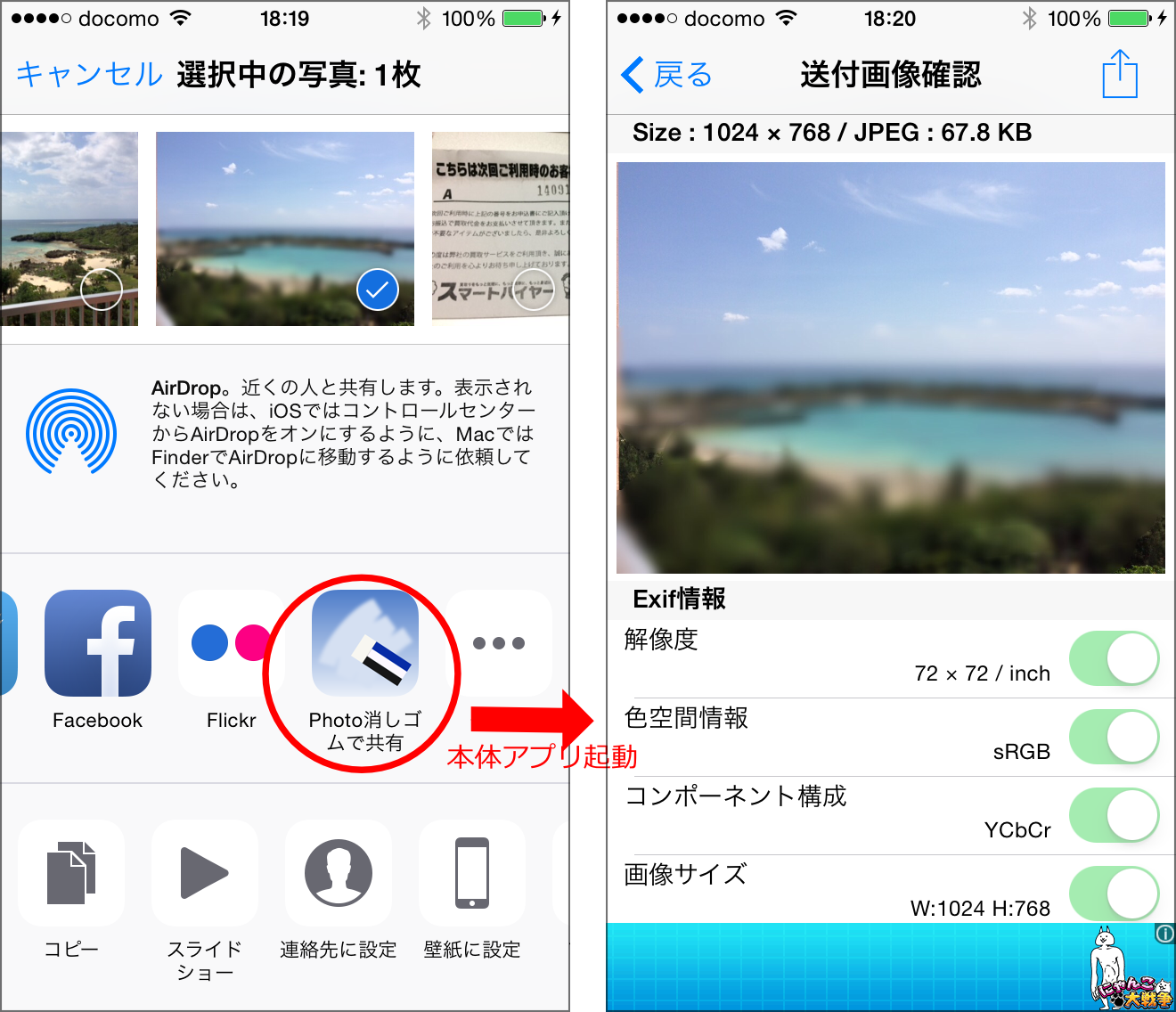
    this is、The photo app's editing function retains the original image information.、Because that information will be displayed。Please be assured that the photo information in the edited photo will be deleted.。If you are worried, "Send to Photo Eraser"Share with Photo-Eraser(button name changes in v2.00)using、Once sent to the Photo Eraser itself,、It is safe to perform a final confirmation of the Exif information and send it to SNS.。As shown below, you can confirm that the photo has been sent with the date and time of the photo and the location erased.。

    faq009-6


  • When trying to send to Photo Eraser from other photo editing apps、Two options were displayed in the destination app list: "Share with Photo Eraser" and "Open with Photo Eraser"。this is、What is the difference??Can I send in??

    This information、Past version(v1.10)It is for。For v2.00, “On the Send button to a Photo EraserI wrote a more detailed article on this, so please refer to it here.。

    Below is、I will keep this as reference information for previous versions.。


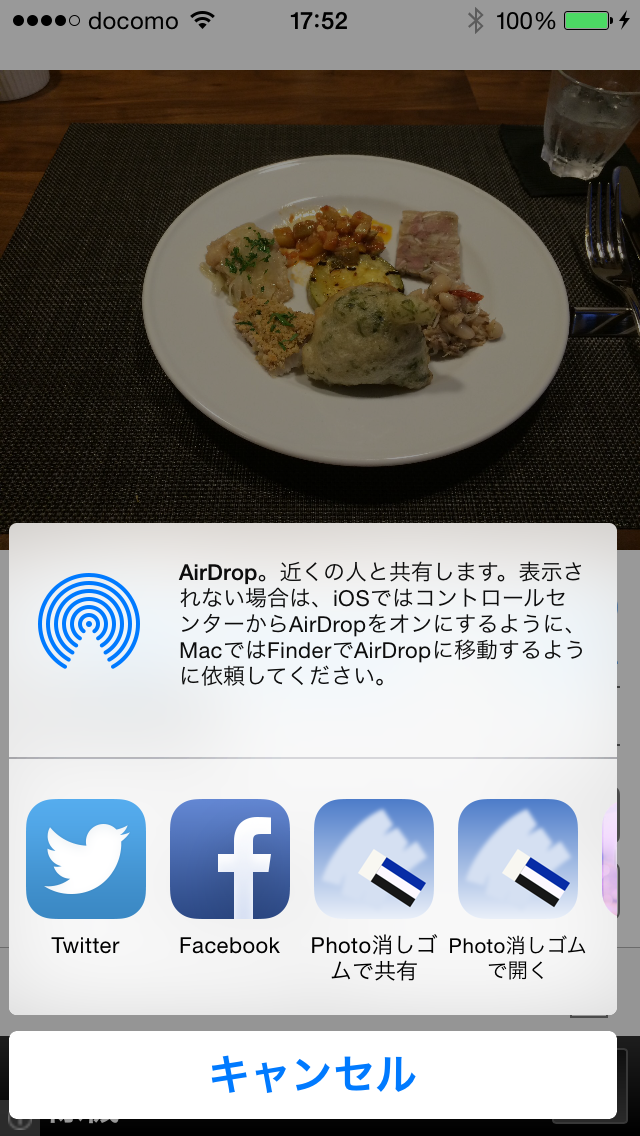
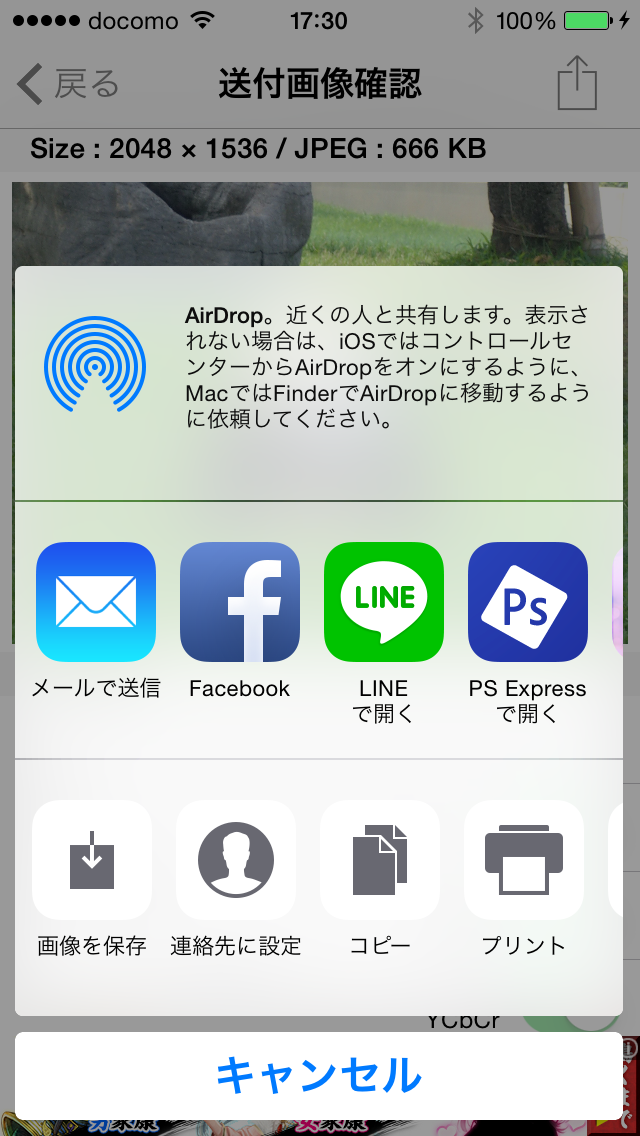
    In the send menu of some photo editing apps、Both "Share with Photo Eraser" and "Open with Photo Eraser" icons may be displayed in the destination application list as shown below.。

    faq008

    this is、As a way for Photo Eraser to receive images、This is because it supports both image opening and sharing methods.。Some apps can only be sent using one of the methods.。For example, the standard iOS photo app only supports the sharing method.、Old general apps created before iOS7 often only support the image opening method.。Apps created after iOS8、It is expected that the number of apps that can send using either method will increase.。2If the type icon is displayed、It's the same no matter which way you send it.。

  • When using Photo Eraser v1.10 on iOS8、When you press the send button, a selection menu will now appear with the options ``Send to an app that supports the share function'' and ``Send to an app that supports image opening.''。how is this different? Which to chose the is??

    This information earlier.(Version1.10)against、Not valid in current latest version。I will keep this as past reference information.。


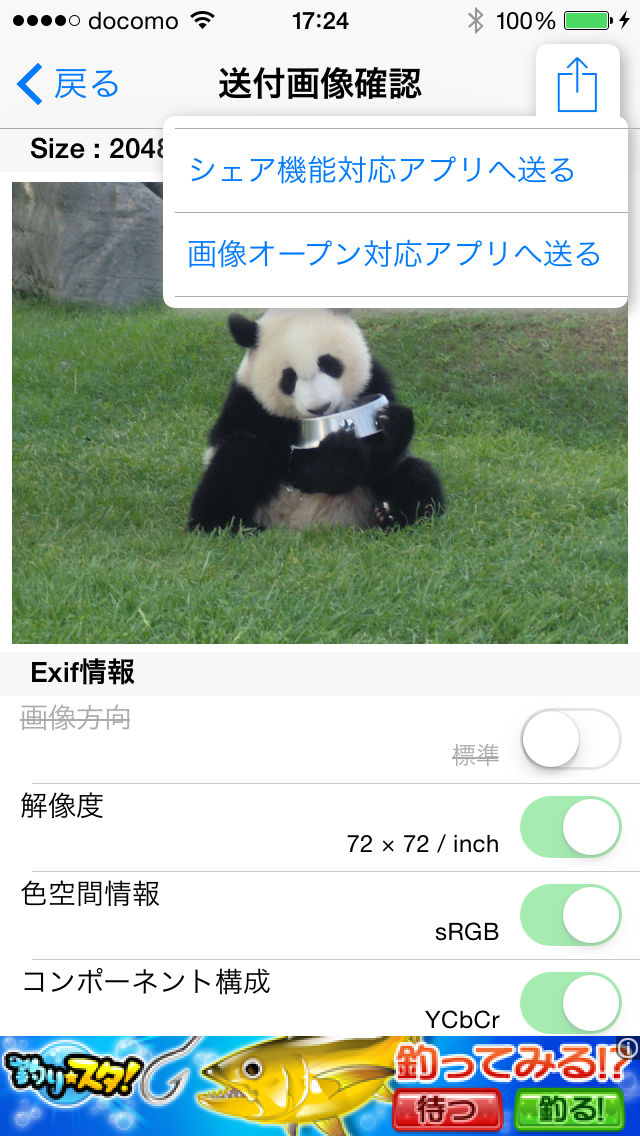
    When using Photo Eraser v1.10 on iOS8、When you press the send button、A pop-up menu will appear as shown below.、You will have to select the destination from a list of two types of apps with slightly different icon arrangements.。

    (Pop-up menu)
    faq007-1

    If you choose send to share functionality enabled apps
    faq007-2

    If you choose send to image open for applications
    faq007-3

    To send to Twitter、The icon will only be displayed for "Send to app compatible with share function".、Please select here。For other general apps, the icon will often be displayed under "Send to image open compatible app".。In the current version of LINE, there is an icon only for this person.。"Send by email"、「Facebook」、"Save image" etc.、If both have icons, you can choose either one.。

    [Commentary]
    So far(until v1.00)was sending image data to other apps using the "send to image open compatible app" method.。Twitter and FaceBook are not apps that support image opening.、This is an app that is specially supported by the iOS system.、If you display the list of apps using the ``Send to image open compatible app'' method, an icon will be displayed in the list of apps that support image open, just like ``Messages'' and ``Mail.''。others、Apps that have the function of receiving images、Most of them support image opening.、Until now, it was sufficient to implement only this method.。
    However,、For unknown reasons, the Twitter app icon no longer appears in the list of apps that can be sent using this method since iOS8.(Not just a photo eraser、Similar problems occurred with other apps using the same method after iOS8.)。
    As a countermeasure to this problem、Because Twitter supports the share function、 In v1.10, a "Send to share compatible app" menu has been added.、The icon for sending to Twitter is now displayed when displaying the list of apps that support sharing.。
    Share support、So far(up to iOS7)Twitter, Facebook, etc.、This could only be done with a special app that is standardly supported by the OS.、"Share expansion" in iOS8(Share Extension)” function has been added.、General apps can now also share。It is expected that the number of apps that only support sharing will increase in the future.。For this reason、Photo Eraser allows you to send apps that support either.。Apps that support both、You can choose whichever you can send it to.。
    By the way, the Photo Eraser itself、As a function to receive images、In addition to the conventional image open support, v1.10 adds share support.、I am open to receiving either。For more details、Click herePlease take a look at。

  • [Photo editing extension] Out of memory error often occurs when using Photo Eraser called from the Photos app.。Is there any countermeasure??

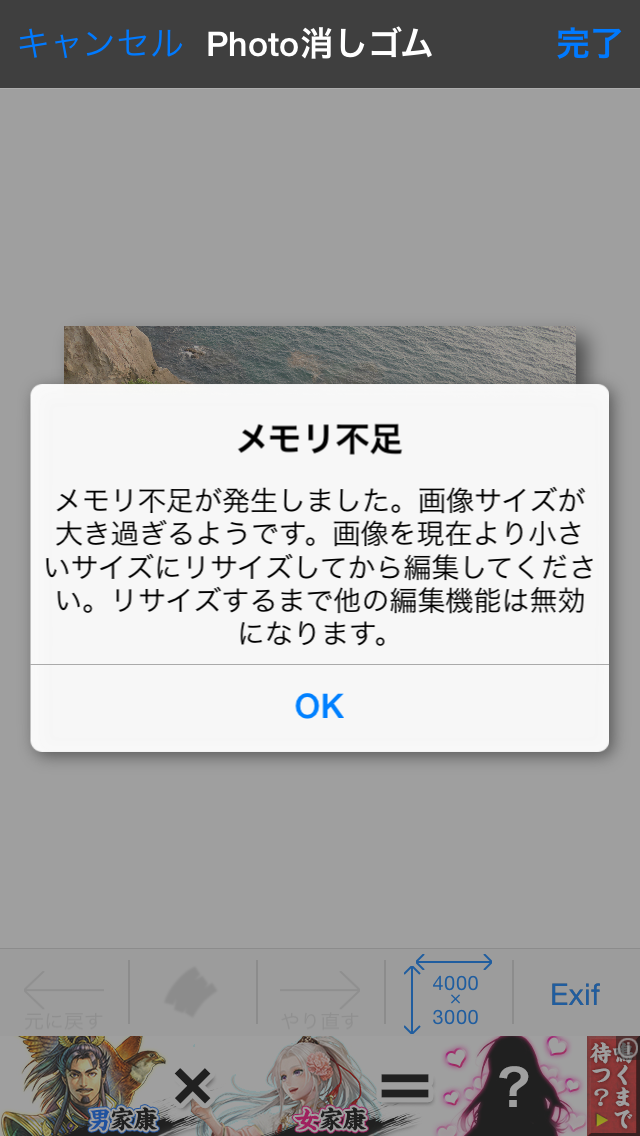
    When loading a large image with Photo Eraser called from the Photos app、You may see an out-of-memory screen like the one below.。Also、Before this screen is displayed, the Photo Eraser itself may stop at a black screen.。This is also caused by insufficient memory。

    faq006

    (Why the memory shortage)
    Compared to when the Photo eraser works within the app itself.、When called from the photo app and works、The Photo Eraser function works while the Photo app is running at the same time.、The amount of memory available for Photo Eraser is very low.。

    (Measures)
    The smaller the size of the image to be edited, the less memory is used.、Messages like this will be less likely to appear。When loading and editing images using the main app、Because sufficient memory is available、Editing larger images is less likely to run out of memory。The conditions for the occurrence of memory shortage are also related to the memory usage status of other applications.、Although it is not possible to give an exact value、As a guideline, if you resize and edit to the following size or less, you will rarely run out of memory.。

    • In a call from the photo app to edit → up to 1280 pixels
    • To edit the loaded images in a console app if → up to 3264 pixels

    v1.10 adds an "automatic resizing function"、If you specify the size in advance, the size will be automatically converted when an image larger than the specified size is loaded.。Take advantage of this feature、We recommend resizing the post to a size that suits the destination before editing.。

    (About the future)
    Enhanced photo editing(Photo Editing Extension)If it works with、Apple has also explained to developers that the memory available for the extension will be reduced because it will be used simultaneously with the photo app.、At present, there is still too little memory available.(It's not really that you don't have enough memory.、Something is wrong with how memory is used, and the memory that can be allocated to the extension is not properly allocated.)There are passages that seem to be。After organizing this matter a little more information,、I would like to separately submit a bug report to Apple.。If there is any progress、Report it on this support site。

  • I can't find the settings menu in the Photo Eraser called up from the Photos app.。How can I change the brush size and blur strength??

    This information earlier.(Version1.10)against、Not valid in current latest version。I will keep this as past reference information.。


    Photo eraser called from the photo app、The settings of the main app will be inherited.、Please start the main application and change the settings.。In addition、Reflection of setting changes、This will happen the next time you start editing with Photo Eraser。If you want to change settings while editing、We apologize for the inconvenience, but please return to the Photos app and try editing again.。

  • Released Photo Eraser Version1.10!

    Released Photo Eraser Version1.10!

    Sorry to have kept you waiting for so long.、This version is fully compatible with iOS8.。

    The main changes are as follows。

    • Fixed an issue where the Twitter icon was no longer displayed in the send menu on iOS8.。
    • Fixed an issue where it became impossible to send to some apps such as LINE on iOS8.。
    • Compatible with iOS8 location information acquisition function change、Improved the message for permission to obtain location information when shooting with a camera.。
    • iOS8 photo app extensions(Photo Editing Extension)corresponds to、Blur the Photo eraser in the Photos app、resize、trimming、Exif information confirmation/deletion function is now available。When called from the photo app、Compatible with the original resolution of iPhone 6 and iPad、Can also be displayed horizontally。
    • share extension for iOS8(Share Extension)corresponds to、You can now pass images to Photo Eraser from the Share menu in the Photos app。
    • Added automatic resize function。If you set automatic resizing in the settings menu, when a large image is loaded, it will be automatically resized to the specified size.。
    • Improved image loading speed。
    • Compress the tutorial images、Reduced app size。
    • others、Fixed minor bugs。


  • to iOS8 to your(Disable Ligature information) – 10/28Update

    We apologize for the inconvenience.、The following issues were resolved in v1.10 released on October 28th.。In addition, v1.10 features photo editing enhancements, a new feature of iOS8.(Photo Editing Extension)And market share expansion(Share Extension)Also compatible with。For those using iOS8、Please update the version.。

    The following article's old version(v1.00)I will leave it as reference information for。


    When using Photo Eraser on iOS8、It was discovered that some problems occurred.。Now、We are considering countermeasures as a top priority.。We apologize for the inconvenience.、If you have encountered a problem、for a while、Please respond with a workaround.。

    [Problem content]

    • Twitter is not displayed in the list of destination icons on the sending screen.、Cannot post directly to Twitter from Photo Eraser。
    • Nothing happens when I tap the send icon on some apps including LINE、Unable to send images from Photo Eraser。

    *Save to photo library、Send email、You can post directly to Facebook without any problems.。

    [Workaround]

    I apologize for the inconvenience.、Twitter、When posting to LINE、Once saved in the photo library、Please manually launch the target app and send it.。

    [Scheduled to be revised]

    Now、We are considering countermeasures as a top priority.。just、Apple's app review process is currently very crowded.、It is expected that it will take more than 10 days to pass the examination after applying for a modified property.。We apologize for the long-term inconvenience.、Thank you very much。

    [Correspondence](10/22Write-once)

    10/20We have submitted a property review request to Apple that includes the fix for this issue.。but、Currently, Apple's review process is becoming even more crowded.、It is expected that it will take 11 to 12 days to pass the examination.。We apologize for the inconvenience.、Thank you for your patience.。
    In addition、The release we requested Apple to review this time is、In addition to solving problems、Photo editing extension, a new feature of iOS8(Photo Editing Extension)And market share expansion(Share Extension)It is also compatible with、You can use the Photo Eraser's blur function and Exif confirmation function from the standard photo app.、You will be able to directly pass images to the Photo eraser.。Please look forward to it.。