
iOS7 Safari、By swiping right from the left edge of the screen、The browser's "back" function is executed。
(Safari screen)
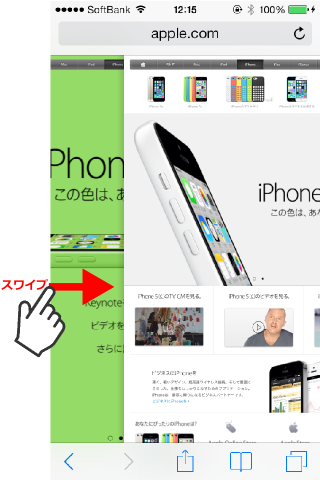
*The trick is to start swiping from the left edge of the screen as far as possible.。
This thing is、It is often introduced on various sites.、Actually, this feature is not only available in Safari.、With standard apps such as the “Music” app or the “Memo” app.、It is also effective in situations where details are selected and displayed from a list.。
(If you screen)
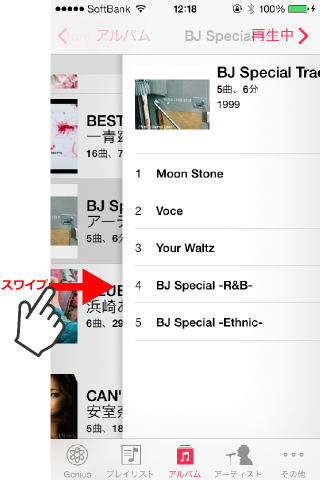
Actually, this function、This is a standard feature implemented in the UINavigationController class of the iOS7 SDK.。that's why、An app built using the iOS7 SDK、Apps using UINavigationController、(Unless you don't change the touch action)This feature is automatically provided。
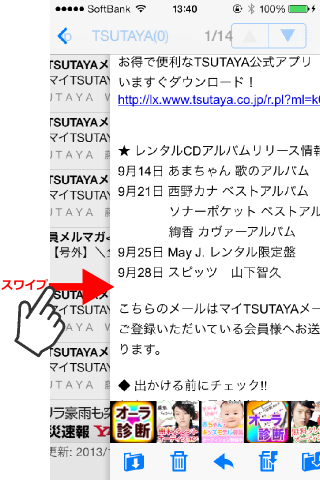
for example、My favorite email app, ibisMail, is also available.、Now supports iOS7 flat GUI image、This app also has the swipe-to-back function enabled.。
(ibisMail screen)
Walking Player is also currently developing a version that supports flat GUI images for iOS7.、Similarly, the swipe-to-back function is expected to be enabled.。
(Developing Walking Player screen)
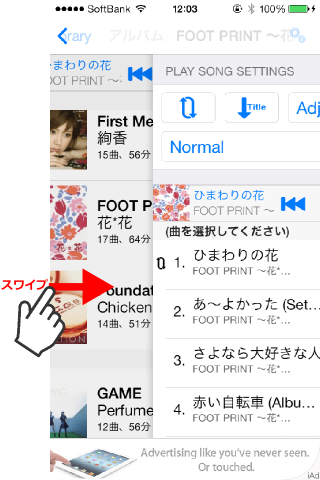
Now、The revised release of Walking Player has been delayed a little.、In addition to simply supporting flat GUI images for iOS7、We have also implemented several user interface improvements common to iOS7/iOS6.。I think it's worth updating even for those who are still using iOS6.。Please wait for a while until release。